QR CODE ALPHA Desktop
Create QR codes offline and manage them locally
QR CODE ALPHA Desktop brings styling, readability checks, a local project library, and professional export into one standalone application—with no registration and no cloud storage.
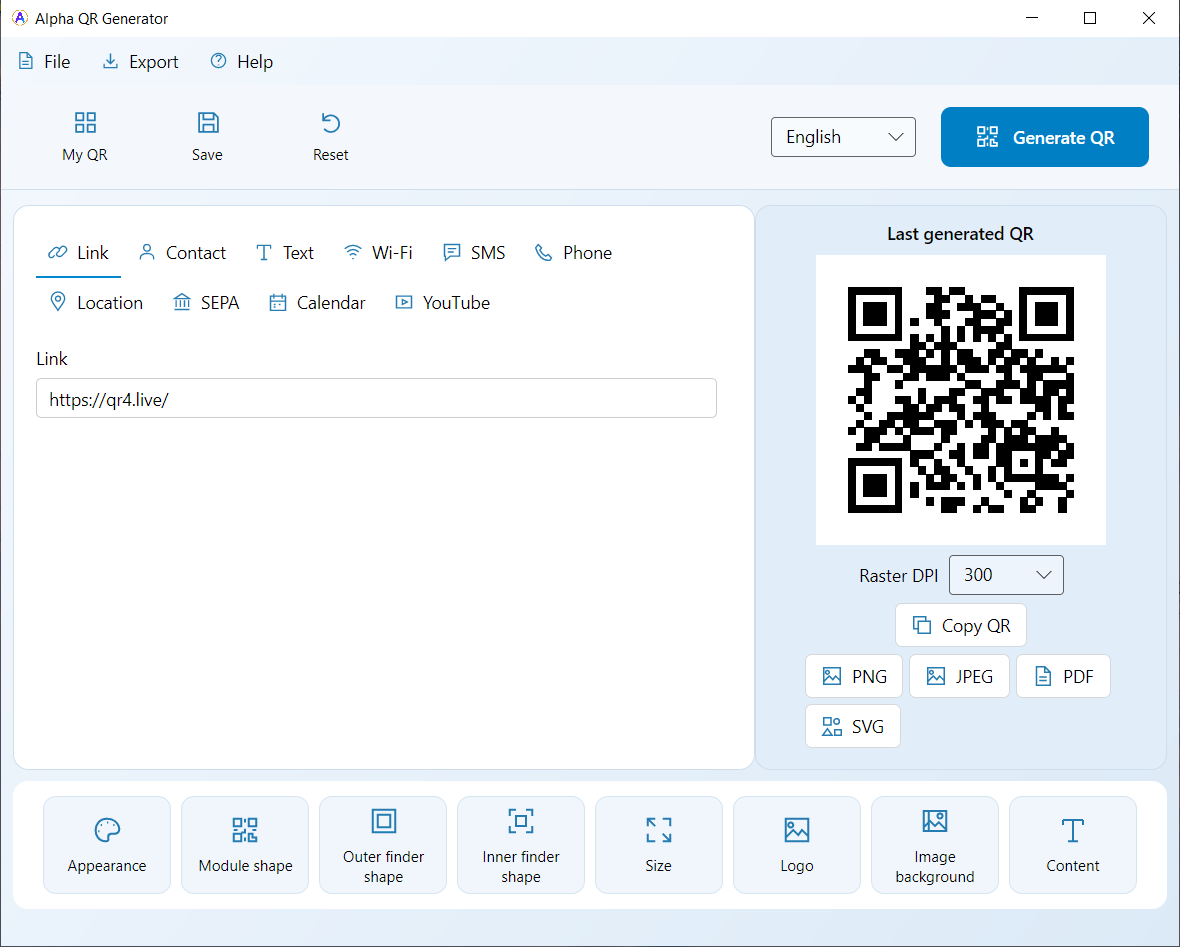
Built for focused QR work
SQLite · Local first
Local QR library
Keep QR projects on your device, then reopen, edit, and export them whenever needed. The library is stored locally in a SQLite database and is not transferred to a cloud service.
Recommended for Windows
Install officially through Microsoft
Fast installation through Microsoft Store infrastructure, with automatic updates.
Downloads
Installation FAQ
Is Alpha QR Code available in Microsoft Store?
Yes. The Windows version is officially available in Microsoft Store. The recommended direct installation uses Microsoft infrastructure and receives updates automatically.
What is the difference between Store, Setup, MSI, and Portable?
Microsoft Store is the simplest route for installation and updates. Setup performs a conventional installation, MSI is intended for managed deployment, and Portable runs after extraction without installation.
How does the app receive updates?
Store installations receive updates through Microsoft. The alternative direct version also has its own update channel; Portable packages are replaced manually when needed.
QR CODE ALPHA Desktop in action
Real screens show the workspace, preset backgrounds, appearance controls, and the local library.